IMAGE UTILITY
Image
Resize, compress, crop, convert and clean up your images in one local batch. Practical presets and an output preview help you choose the right settings.
Download for Windowsv1.1.1 · Windows 64-bit · Windows installer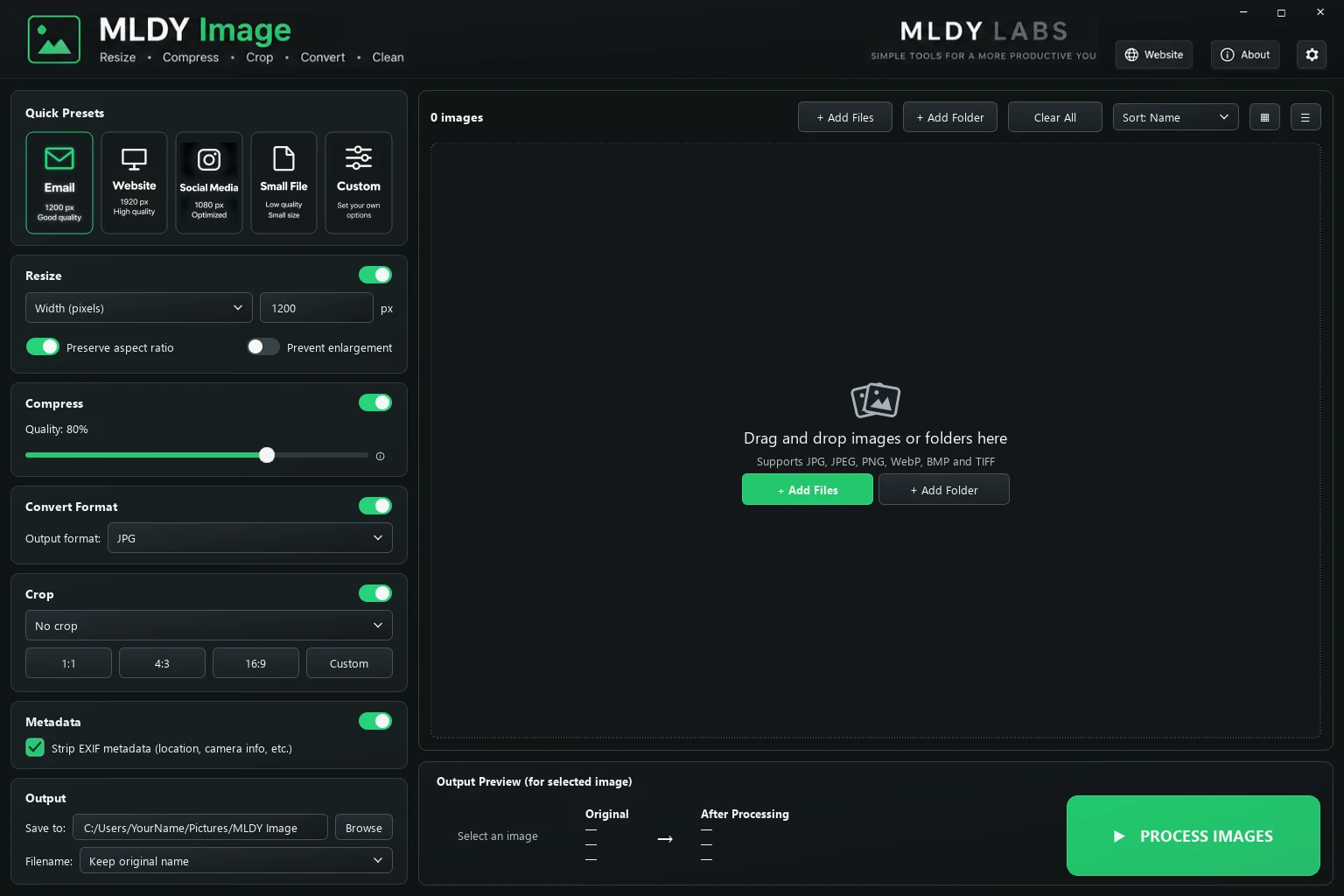
Resize, compress, crop, convert and clean up your images in one local batch. Practical presets and an output preview help you choose the right settings.
Download for Windowsv1.1.1 · Windows 64-bit · Windows installerVersion 1.1.1 · 51.28 MB. Run the downloaded installer, complete setup, then launch Image from the Start menu. All supporting files are included; Python installation is not required.
Installer SHA-256: 3d58b34ef25056ea67777b926f66429c9dc7fb58af3f23c36bdebe2e5b27c210 Checksum file
This release is unsigned. The bundled application EXE is unchanged from the reviewed portable release. As of October 2, 2026, VirusTotal reports detections from Microsoft, SecureAge and Skyhigh. Microsoft review is pending. This new installer is a separate file and has not yet been checked by VirusTotal. View the scan report. Do not disable antivirus protection to run it.